
Work From Home Setup Guide: Comfort on a Budget
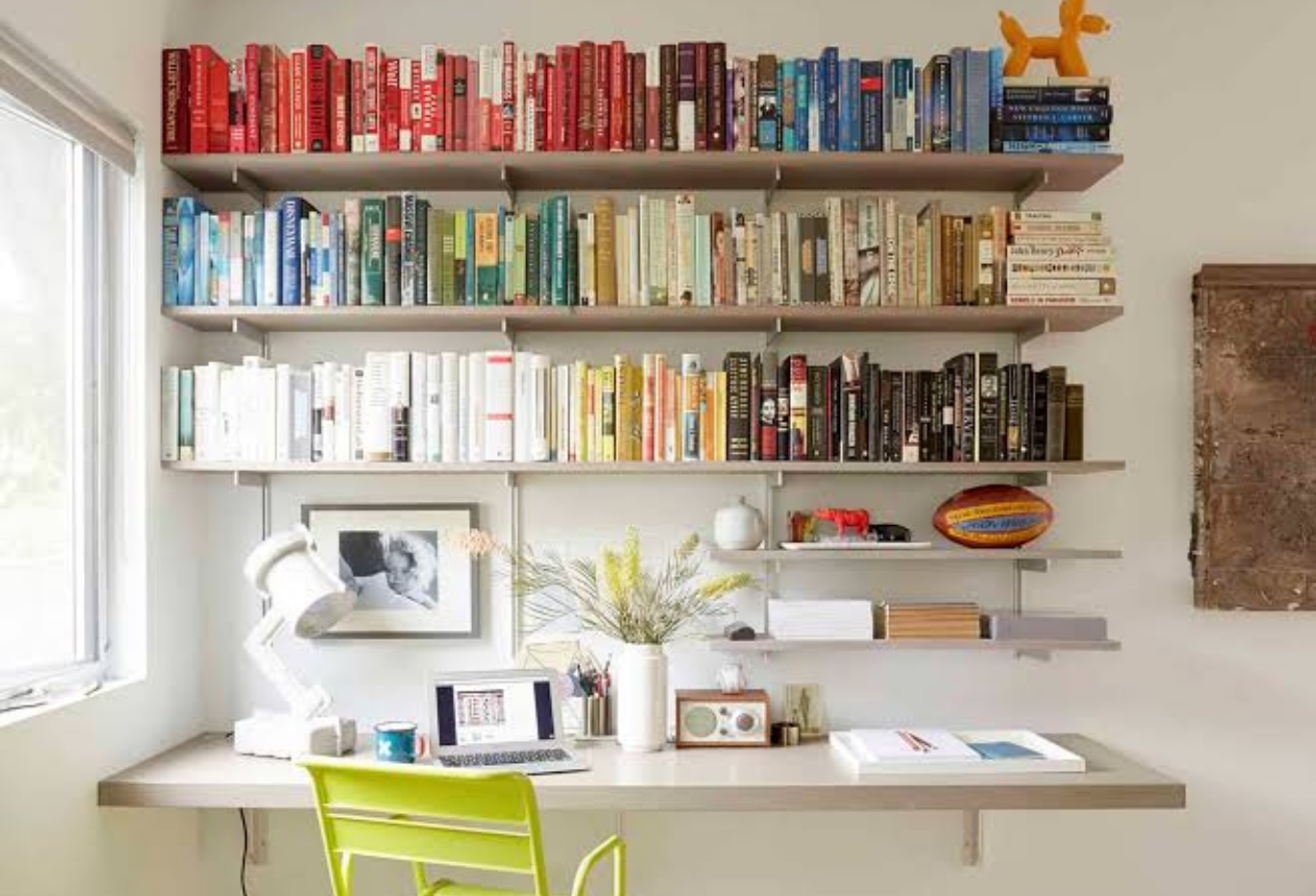
Working from home can be convenient, but creating a comfortable workspace doesn't have to mean spending hundreds or thousands of dollars. With a little planning, you can build a practical work from home setup on a budget that helps you stay comfortable, organized, and productive.
A good home office isn't necessarily about having the most expensive desk, chair, monitor, or accessories. Instead, it's about arranging your workspace so that your computer, lighting, seating, and everyday tools work well together.
Whether you're working remotely full-time, running a small business, studying online, or occasionally working from home, these affordable ideas can help you create a better workspace without overspending.
Why a Comfortable Home Office Matters
When you spend several hours working at home, small problems can quickly become annoying. An uncomfortable chair, poor lighting, a cluttered desk, or an awkward screen position can make your workday less enjoyable.
A well-planned workspace can help you:
- Stay organized
- Reduce distractions
- Work more comfortably
- Keep essential items within reach
- Create a clear separation between work and personal activities
- Make better use of limited space
You don't need a dedicated office room to accomplish these goals. A corner of a bedroom, dining area, or living room can work if you organize it properly.
1. Start With the Desk You Already Have
Buying a brand-new desk shouldn't automatically be your first step.
Look around your home for a table or existing surface that can serve as a workspace. A dining table, sturdy writing desk, or appropriately sized console can work surprisingly well.
Before purchasing anything, check whether your existing furniture provides enough space for your laptop, keyboard, mouse, notebook, and other essential items.
If you already have a suitable desk, put your budget toward items that improve comfort or functionality instead.
If you eventually need a new desk, consider simple designs rather than expensive executive-style furniture. A sturdy, appropriately sized desk is often all you need.
2. Prioritize Your Chair
If you're going to spend money on one major piece of your home office, a comfortable and supportive chair should be high on the list.
You don't necessarily need a luxury office chair. Look for a model that provides appropriate back support, comfortable seating, and adjustable features where possible.
When comparing chairs, consider:
- Seat height
- Back support
- Seat depth
- Armrest position
- Adjustability
- Overall build quality
A used office chair from a reputable source can also be worth considering, provided you inspect it carefully.
Avoid choosing a chair solely because it looks attractive. A stylish chair isn't useful if it becomes uncomfortable after an hour of work.
3. Improve Your Laptop Position
Working directly from a laptop for several hours can encourage you to look downward for long periods.
A simple laptop stand can raise the screen to a more comfortable viewing position. If you don't want to purchase one immediately, a stable household solution may work temporarily, as long as it doesn't block ventilation or create a safety risk.
Once the laptop is elevated, you can use a separate keyboard and mouse.
This setup can make it easier to position your screen and input devices independently.
You don't necessarily need an expensive docking station. For basic home-office tasks, inexpensive accessories can often provide the functionality you need.
4. Use an Affordable External Keyboard and Mouse
If you're using a laptop as your main computer, a separate keyboard and mouse can be useful additions.
An affordable wired keyboard and mouse can provide everything you need for everyday work.
You don't have to immediately buy premium wireless accessories. Focus on comfortable design, reliability, and compatibility with your computer.
If you spend many hours typing, pay attention to the keyboard's layout and feel. Similarly, choose a mouse that fits comfortably in your hand.
Small ergonomic improvements can make a noticeable difference over a long workday.
5. Make Lighting a Priority
Good lighting can make your workspace feel more comfortable and inviting.
The cheapest option is often natural light. If possible, position your desk near a window without creating excessive screen glare.
For evening work, use a desk lamp or other appropriate light source.
You don't need expensive smart lighting to create an effective workspace. A basic adjustable desk lamp can provide plenty of illumination.
Try to avoid relying exclusively on a bright computer screen in an otherwise dark room.
6. Keep Your Desk Organized
Clutter can make a small workspace feel even smaller.
Fortunately, organization doesn't have to cost much.
Use simple solutions such as:
- Small storage boxes
- Pen holders
- Cable clips
- Folders
- Drawer organizers
- Reused containers
Keep only frequently used items on the main desk surface.
If you have cables everywhere, use inexpensive cable ties or clips to keep them grouped together.
An organized desk can make it easier to find things and maintain a clear working area.
7. Don't Overspend on a Monitor
An external monitor can be useful if your work involves spreadsheets, writing, design, research, or multitasking.
However, you don't necessarily need the newest high-end display.
A reliable used or refurbished monitor can be a budget-friendly option. Before buying, check its condition, screen resolution, connectivity, and compatibility with your computer.
If your work primarily involves documents, email, web browsing, and video meetings, you may not need expensive gaming or professional-grade specifications.
Buy based on your actual workload rather than marketing features you won't use.
8. Create a Better Background for Video Calls
You don't need an expensive studio setup for professional video meetings.
Start by cleaning and organizing the area visible behind you.
A simple wall, bookshelf, plant, or neatly arranged workspace can provide a suitable background.
Lighting is often more important than expensive equipment. Position a light in front of you rather than directly behind you to avoid appearing too dark on camera.
If your room isn't suitable for video calls, use your computer's available background options when appropriate.
9. Use Headphones Wisely
If you live with family members, roommates, or other people, headphones can make working from home easier.
A basic pair of comfortable headphones can help with meetings and reduce background distractions.
You don't necessarily need expensive noise-canceling headphones. If your environment is reasonably quiet, a simple wired or affordable wireless pair may be sufficient.
Choose something comfortable enough for the length of your typical meetings.
10. Add Low-Cost Comfort Features
Once the essentials are covered, consider inexpensive additions that make your workspace more pleasant.
For example, you could add:
- A small plant
- A footrest
- A reusable water bottle
- A desk mat
- A small clock
- A notebook
- A soft desk light
A footrest can be particularly useful if your feet don't rest comfortably on the floor when you're seated.
You can also use a folded blanket or cushion temporarily if your chair needs additional support, although it shouldn't replace a properly supportive chair.
11. Use What You Already Own
One of the best budget home office setup ideas is to avoid buying things you don't actually need.
Before shopping, walk through your home and identify items that could be repurposed.
An unused shelf could become office storage. A spare lamp could provide workspace lighting. An existing table could serve as a desk.
Repurposing items reduces costs and prevents unnecessary purchases.
12. Set Up Your Workspace for Productivity
Comfort isn't only physical.
Your workspace should also help you concentrate.
Keep distracting items away from your immediate work area. Put your phone somewhere that doesn't constantly attract your attention when you're working.
If possible, establish a simple routine.
Start work at a consistent time, take regular breaks, and create a clear end-of-work routine.
Even if your office is located in your bedroom or living room, these habits can help create a stronger boundary between work and personal time.
13. Spend Money Where It Matters Most
When creating a home office on a limited budget, prioritize purchases.
A sensible order might be:
- Comfortable chair
- Suitable desk or work surface
- Proper lighting
- External keyboard and mouse if needed
- Laptop stand or monitor
- Cable management
- Storage and decorative items
This approach ensures that your essential needs are covered before you spend money on accessories.
You can always upgrade later.
Sample $150 Budget Home Office
You don't need a huge budget to get started.
For example, a basic setup could include:
- Existing table: $0
- Affordable office chair: $70
- Basic keyboard and mouse: $25
- Laptop stand: $15
- Desk lamp: $20
- Cable organizers: $10
- Small storage organizer: $10
Total: approximately $150
Prices vary widely, but this illustrates an important point: a functional workspace can be created without purchasing every piece of equipment brand new.
Final Thoughts
Creating a comfortable work from home setup on a budget is mostly about prioritizing what you actually need.
Start with your existing furniture and improve the areas that affect everyday comfort the most. A supportive chair, suitable desk, good lighting, and sensible screen positioning can be more valuable than expensive decorative accessories.
Shop secondhand or refurbished when appropriate, compare prices before buying, and avoid paying for features you won't use.
Most importantly, remember that your home office doesn't need to look like a professional corporate workspace. It simply needs to provide a comfortable, organized environment where you can focus and get your work done.
With thoughtful planning, even a small space and modest budget can become a practical and comfortable work-from-home environment.